
Soundboard Unblocked 2025: Play Free on Dubdoo
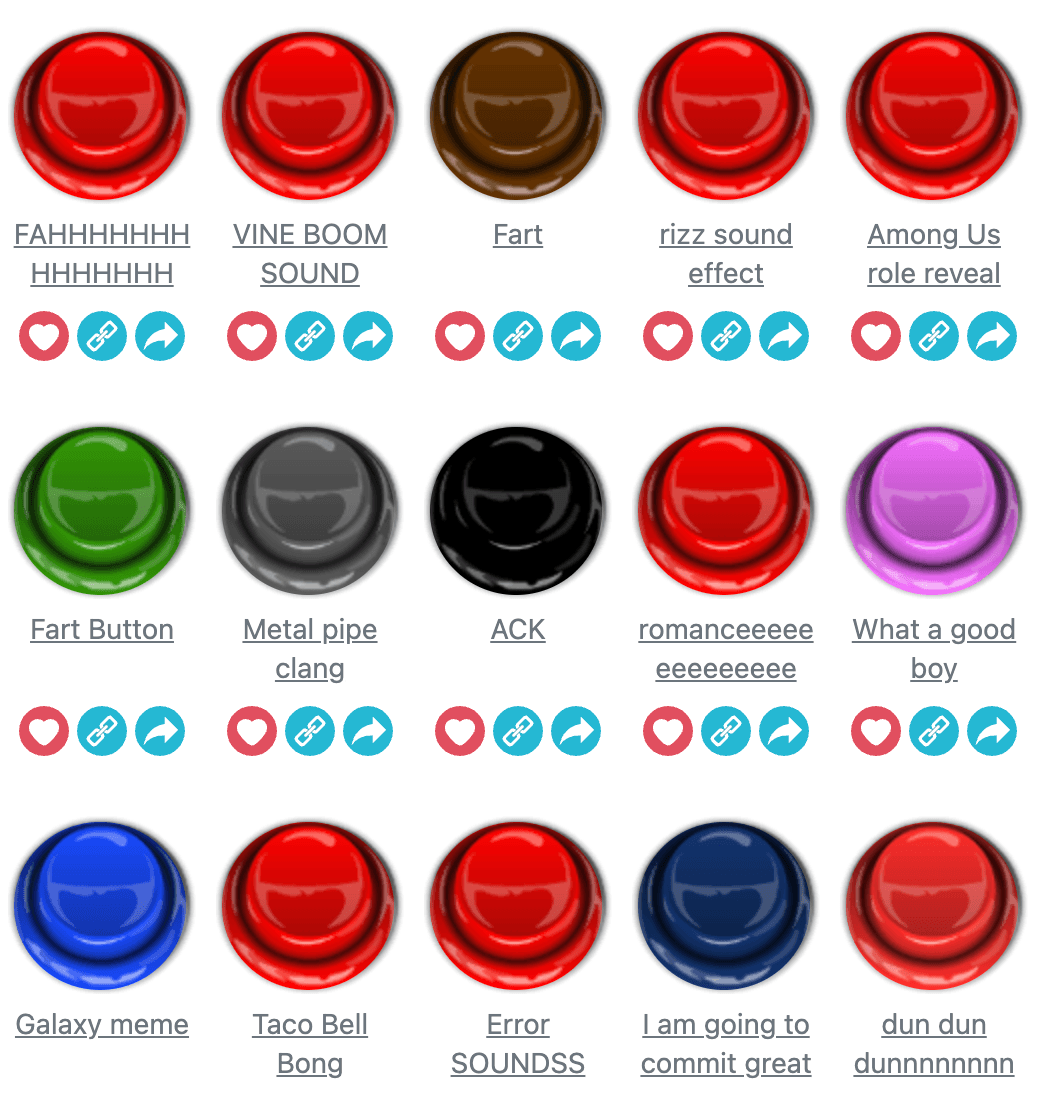
Soundboard is unblocked and free to play on Dubdoo, and unlike a lot of search results promising a working "2025" copy, this one doesn't need a fresh link every year. The page is just the game itself, buttons and sound clips, with no client to sign into and no extra domain hanging off the side for a filter to trip on. Click a button, hear a sound. That's the whole barrier to entry.
What you're actually clicking through
Soundboard is a wall of buttons, each tied to its own sound effect or clip. Tapping one plays it instantly, and tapping a different button while the first is still playing doesn't necessarily cut it off, more on that in a second. A search bar sits at the top for finding a specific clip by name instead of scrolling through the full board, which matters once you've found the handful of sounds worth reusing. Two toggles above the grid, Favorites and Overlap, plus a Stop All Sounds button, change how the board behaves rather than what's sitting on it.
Favorites and Overlap: the two toggles worth learning
Favorites turns the board into a shortlist. Star the clips you keep coming back to and the toggle filters the grid down to just those, so you're not re-searching the same three sounds every session. Overlap does something more interesting: with it on, a new clip plays on top of whatever's already going instead of stopping it, so back to back taps stack into a small, layered mix rather than one sound replacing the last. Turn Overlap off and the board behaves like a simpler player where each click resets the previous clip, cleaner for testing one sound at a time but far less fun for building a mock DJ set out of a few short clips. Stop All Sounds exists specifically to clear that pile in one tap once Overlap has stacked more layers than you meant to.
Why "unblocked" searches for a soundboard even make sense
A page of sound buttons sounds harmless, but plenty of school and office networks block by category rather than by content, and "games" or "media" domains can get swept up regardless of what's actually on them. That's usually the gap Soundboard unblocked searches are trying to close: not a mature content filter, just a broad one. Running it through Dubdoo sidesteps the category problem, since the board lives on the same domain as the rest of the site's browser games rather than an external host a filter might already know to flag.
Where a soundboard like this actually gets used
The obvious use is comic timing, dropping a clip into a call or a group chat at the exact second it lands hardest, and Overlap mode is what makes layering a second sound over something already playing possible without hunting for a separate board. It also works as a quick reference tool: if you can't remember exactly how a clip sounds, the search bar gets you there faster than scrolling a long grid to find it by eye. None of that needs a download or an account, and there's nothing left behind once you move on to the next tab.
More no-download picks if sound and rhythm are the draw
If clicking through short audio clips scratches an itch for music and rhythm, Dubdoo also runs Sprunki, a build-your-own-track game where you drag characters onto a stage to layer loops instead of triggering one-off clips, and osu!, a timing-based rhythm game if you'd rather the music come with a scoring challenge attached. Both sit in the same no-download, no-account bracket as Soundboard, and Dubdoo's games for school collection rounds up the rest of what tends to survive strict network filters.
Open the board and start stacking. Play Soundboard free on Dubdoo and see how many clips you can layer before Stop All Sounds becomes necessary.
FAQ
Is Soundboard actually unblocked at school?
Yes. It runs as one browser page on the Dubdoo site itself, with no separate client, launcher, or outside web address involved, so a network filter has nothing beyond the page to key off.
What does Overlap mode do?
With Overlap on, a new sound plays on top of whatever's already going instead of cutting it off, letting you stack multiple clips into a layered mix. Turn it off and each new click resets the last sound.
Do I need an account to save Favorites?
No. Favorites works within your current session on the board itself, no login required, so you can star and filter down to the clips you use most without signing up for anything.
Is there a way to reset everything if too many sounds are playing at once?
Yes, the Stop All Sounds button clears every active clip in one tap, which is the fastest way out of an Overlap stack that's gotten out of hand.