
How to Play Crazy Cattle 3D on a Chromebook
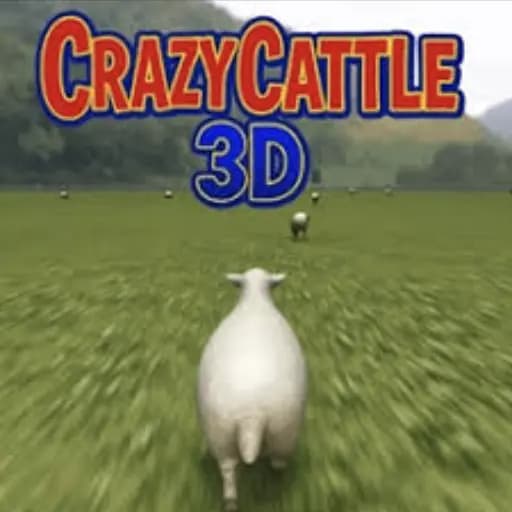
How to play Crazy Cattle 3D on a Chromebook: open Crazy Cattle 3D on Dubdoo, let the page load, and steer with the arrow keys or a swipe, the same way you would on any other computer. There's no client to install and no separate Chromebook version to hunt down, since the entire game lives inside the browser tab that's already open.
Why a browser game with 3D physics still works on a Chromebook
Most Chromebooks skip a dedicated graphics card, which normally rules out anything heavier than flat 2D games. Crazy Cattle 3D gets around that by rendering its physics and collisions through the browser's own graphics layer instead of a locally installed game engine, so the Chromebook's integrated graphics only has to handle what's rendered inside the tab. That's lighter work than a native 3D game asks of the same chip, which is why the runaway cow, the obstacle courses, and the goofy ragdoll collisions all load without an install prompt or a warning that the hardware isn't supported.
Getting a smooth frame rate on lower-end hardware
Chromebooks vary a lot in raw power, and a cheap education model will show more slowdown in crowded obstacle sections than a newer Chromebook Plus device will. Closing other browser tabs and any heavy extensions before loading the game frees up the memory the physics engine needs, and that alone fixes most of the stutter people run into. The game itself doesn't have a graphics settings menu to lower, so freeing up memory on the device is about the only thing you can do to help it run better.
Controls on a Chromebook keyboard and trackpad
Crazy Cattle 3D accepts swipe controls or arrow keys to steer the cow through each obstacle-filled path, with the space bar set to restart the run. A Chromebook keyboard has a full arrow cluster and a normal space bar, so nothing about the layout changes from a Windows or Mac setup. If the Chromebook is a touchscreen convertible, the swipe controls work directly on the screen, which ends up faster for quick direction changes than reaching for arrow keys mid run.
What actually changes on Chromebook versus a full PC
The gameplay itself doesn't change: the obstacles, the physics, and the silly tumble animations all play out the same way they would on a desktop. The only real difference is input. A trackpad doesn't map to anything in this game, since it's built around discrete key presses or swipes rather than pointer movement, so a mouse brings no advantage here the way it might in a shooter. That makes Crazy Cattle 3D one of the easier action games to hand to someone using a Chromebook without any extra peripherals plugged in.
More chaos-physics games on Dubdoo
Ragdoll Archers swaps the runaway cow for floppy stick figures firing arrows at unstable angles, with the same kind of unpredictable physics driving every shot. Fall Guys scales the obstacle-course idea up to a full multiplayer crowd, racing dozens of players through the same kind of hazard-filled paths Crazy Cattle 3D throws at a single cow. Both sit in Dubdoo's Action games section, and if a Chromebook is your only device, the Build Now GG Chromebook guide covers another no-download pick that handles the same hardware limits well.
There's nothing to install and no separate version to hunt down. Play Crazy Cattle 3D free on Dubdoo and see how far the cow gets before the next obstacle sends it tumbling.
FAQ
Does Crazy Cattle 3D lag on a low-end Chromebook?
It can, since the game renders 3D physics and collision effects rather than flat 2D sprites. Closing other tabs and extensions frees up the memory a Chromebook needs to keep the frame rate smooth, and the game still runs, just with less bounce in the crowd scenes on older hardware.
Can I use touch controls if my Chromebook has a touchscreen?
Yes. A touchscreen Chromebook accepts the same swipe input the game expects on a phone or tablet, so you can steer the cow with a finger instead of the arrow keys if that feels more natural.
Do I need a Google or Dubdoo account to play?
No. The game loads directly on the play page with no login screen, so a Chromebook signed into a school or work Google account never has to hand over separate credentials.
Why does the space bar restart the run instead of a menu button?
Crazy Cattle 3D keeps runs short and restarts fast on purpose, so a single keypress gets you back into the chaos instead of routing through a pause menu. It's a Chromebook keyboard shortcut that works exactly the same as it would on a full-size PC.